
Try This is now on the Shopify App Store
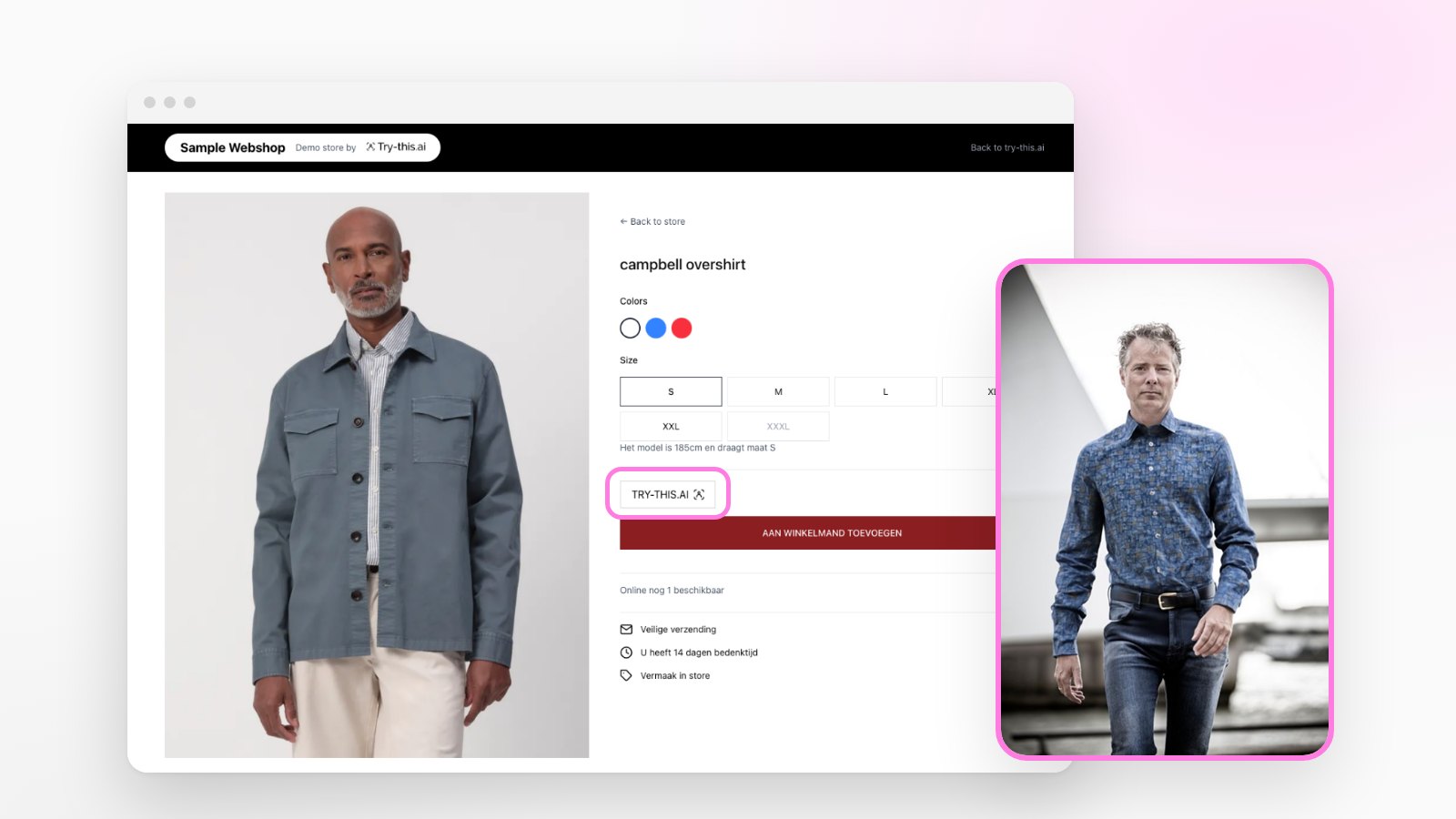
Our AI virtual try-on is available as a Shopify app. Shoppers upload one photo and see themselves in your clothes, right on the product page. Here is what it does and how to start.
Written by Try-this.ai team
Try This – AI Virtual Try-On is live on the Shopify App Store. It was listed on 12 November 2026.
Until now, adding Try-this.ai to a store meant talking to us first. From today a Shopify merchant can install it, pick products and have a working virtual fitting room on the product page in the same sitting.
What it does
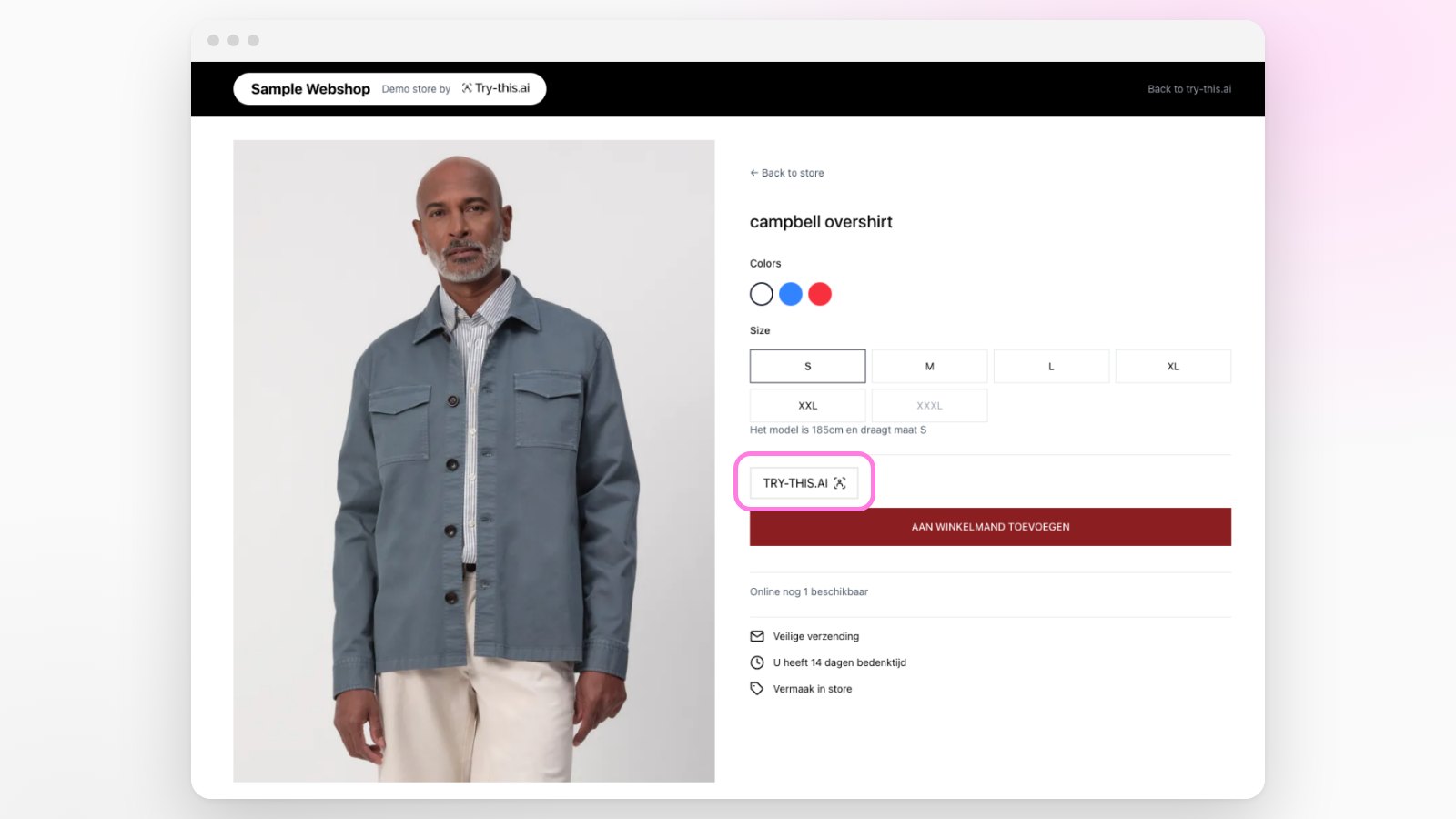
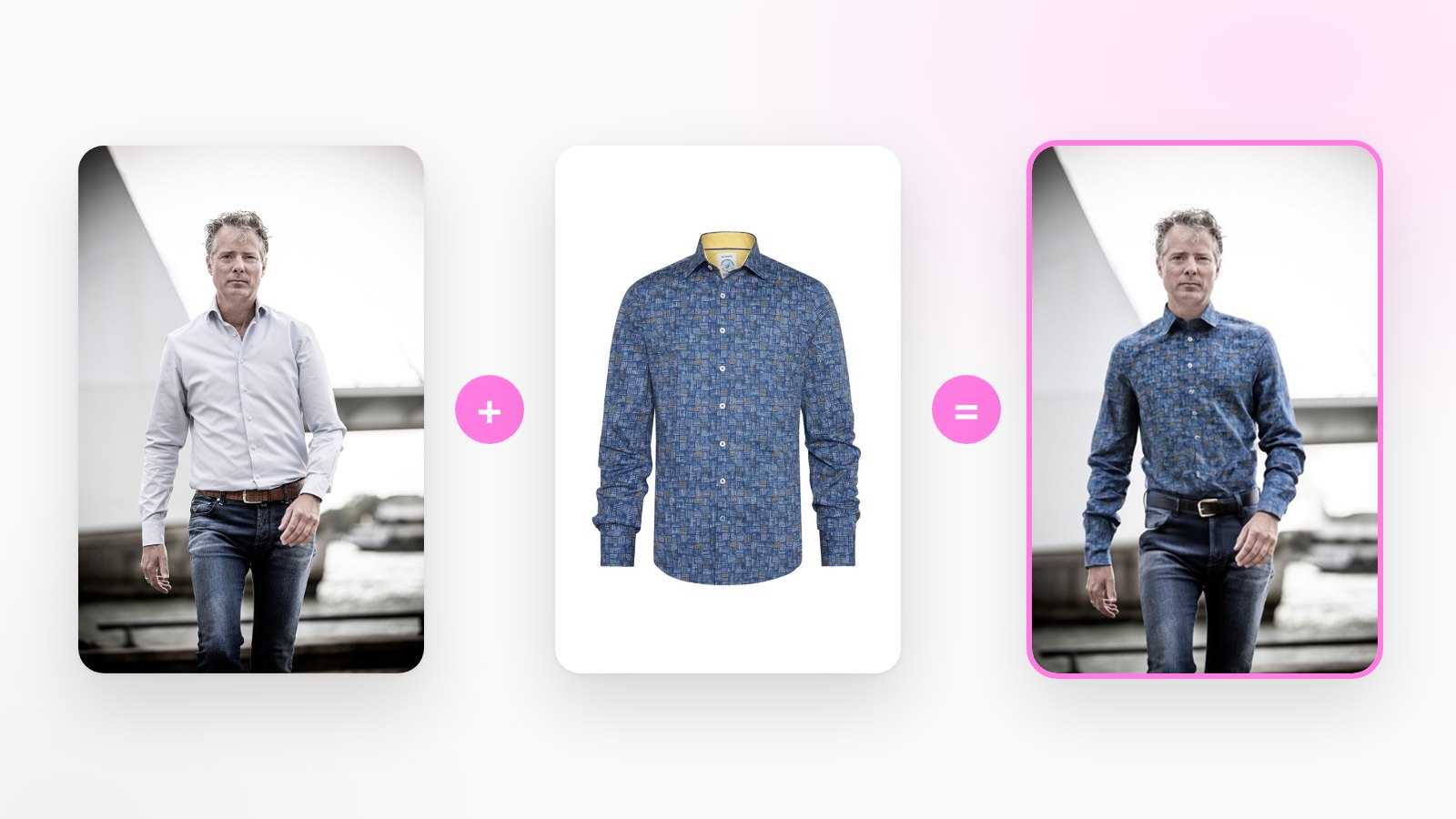
A shopper on your product page clicks the Try This button, uploads one photo of themselves and sees a generated image of themselves wearing the item, in seconds. No app to download and no account to create.
For you as a merchant, the app covers three things:
- Products. Choose which products get the button, straight from your Shopify catalog. The app uses the product's main image.
- The button. A theme app block you place in the theme editor, with settings for text, icon and colours.
- Results. A list of the try-ons shoppers generated and the feedback they gave.
Set up in three steps
- Install the app and import products. Open the app, search your catalog and import the products you want to start with.
- Add the block. In Online Store → Themes → Customize, open the product template and add the Try This AI Button block.
- Run a try-on. Open an imported product on your storefront, click the button and upload a photo.
What it costs
Every store starts with 10 free try-ons. After that:
| Plan | Price per month | Try-ons per month |
|---|---|---|
| Starter | $19.99 | 100 |
| Growth | $29 | 250 |
| Scale | $99 | 1,000 |
Each plan starts with a 3-day free trial, and yearly billing is cheaper. Billing runs through Shopify. The App Store listing always has the current prices.
What it is for, and what it is not
Try This shows shoppers how an item looks on them: the colour, the print, the length. It supports tops, bottoms and one-piece garments such as dresses.
It does not tell a shopper which size to order, so keep your size chart on the page. And like every new app, ours starts without reviews. If you install it, we would like to hear what works and what does not: contact@try-this.ai.
Not on Shopify?
The same fitting room runs on WooCommerce, Magento and custom storefronts through a small embed. Request a demo and we will set it up with you.
Frequently asked questions
- Where can I install the Try This Shopify app?
- From the Shopify App Store at apps.shopify.com/try-this-ai. The app is called Try This - AI Virtual Try-On and is published by Archipel Media BV, the company behind Try-this.ai.
- What does the Try This app cost?
- Every store gets 10 free try-ons to test with. Paid plans are Starter at 19.99 US dollars a month for 100 try-ons, Growth at 29 dollars for 250 and Scale at 99 dollars for 1,000, each with a 3-day free trial. Yearly billing is available at a discount.
- Does the app work with my theme?
- The try-on button is a theme app block that you add in the Shopify theme editor, so it works with Online Store 2.0 themes without editing code.
- What data does the app access?
- The app reads your products and your online store theme, which it needs to import product images and to detect the theme block. Shopper photos are handled as described in our privacy policy.